
Most small and mid-sized businesses in Montreal start out managing their technology the same way: a mix of the owner, a tech-savvy employee, and an outside contractor called in when something breaks. It works — until the business grows past it. Servers multiply, remote work adds complexity, and a missed patch or a misconfigured permission turns into a full day of downtime. At that point, the question isn't whether you need IT support anymore. It's whether you need a system administrator.
What This Article Covers: This guide explains what a system administrator actually does, the warning signs that your current IT setup has become a liability, and how in-house, outsourced, and managed IT options compare for a growing Montreal business.
In This Article, You'll Learn
- The signs your business has outgrown ad hoc IT support
- What a system administrator's day-to-day responsibilities actually include
- How a system administrator differs from help desk support and managed IT services
- Whether an in-house or outsourced system administrator makes more sense for your business
Signs Your Business Has Outgrown Ad Hoc IT Support
Ad hoc support — calling someone in only when something fails — works well for a handful of workstations and a simple setup. It starts breaking down once a business hits certain thresholds. Common signs include:
- You're running one or more physical or virtual servers that nobody is actively monitoring
- Employees routinely work around IT problems instead of reporting them, because support is slow or inconsistent
- There's no clear process for onboarding or offboarding user accounts and permissions
- Backups exist, but nobody can confirm when they were last tested
- Software updates and security patches are applied reactively, if at all
Any one of these on its own is manageable. Two or three together usually mean the business has quietly outgrown the "call someone when it breaks" model.
What Does a System Administrator Actually Do?
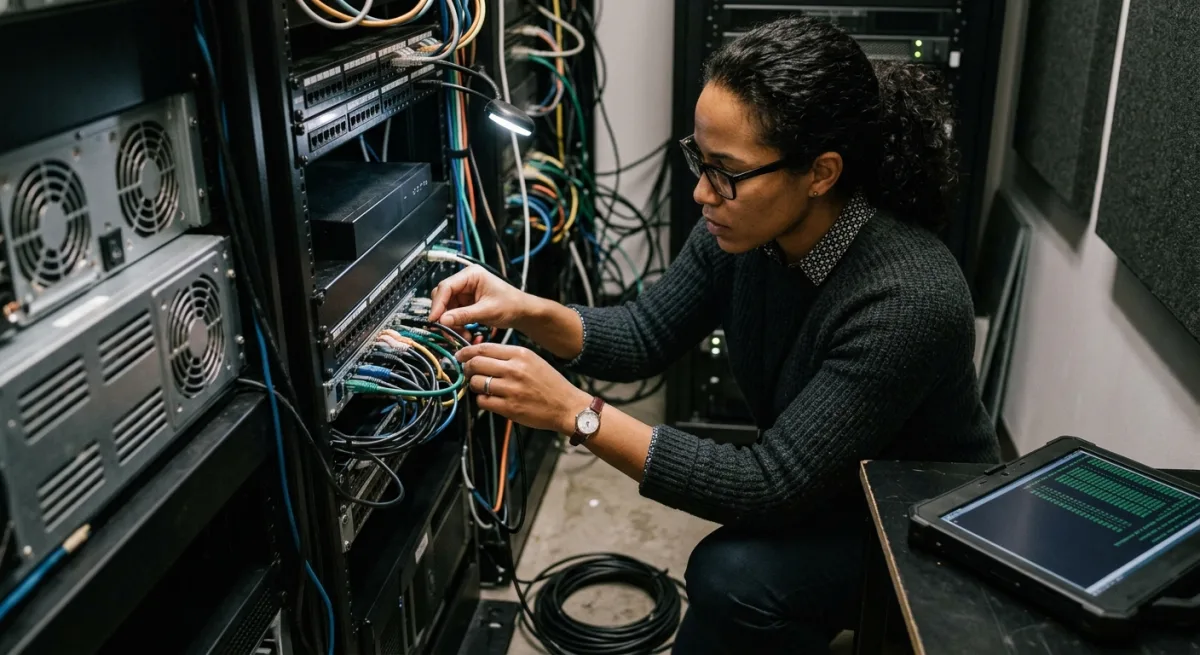
A system administrator is responsible for keeping a company's servers, networks, and core systems running reliably and securely — proactively, not just when something breaks.
Day-to-Day Responsibilities
- Monitoring server health, storage capacity, and network performance
- Applying security patches and software updates on a regular schedule
- Managing user accounts, permissions, and access controls
- Maintaining and testing backup and disaster recovery systems
- Documenting infrastructure so the business isn't dependent on one person's memory
System Administrator vs. Help Desk vs. Managed IT Services
These three terms get used loosely, but they cover different ground. The table below breaks down where each one fits.
| Role | Primary Focus | Typical Availability | Best For |
|---|---|---|---|
| Help Desk Support | Day-to-day user issues (password resets, software glitches) | Reactive, ticket-based | Companies with simple infrastructure and mostly user-level problems |
| System Administrator | Servers, networks, security, infrastructure reliability | Ongoing, proactive monitoring | Businesses running their own servers or complex networks |
| Managed IT Services | Full IT management, often bundling help desk and sysadmin functions | Continuous, contract-based | Businesses that want predictable costs without hiring in-house staff |

In-House vs. Outsourced System Administrator
A full-time, in-house system administrator makes sense once infrastructure and headcount justify a dedicated salary — typically mid-sized companies with substantial on-premises or hybrid infrastructure. For most small and growing businesses, outsourcing the role to a provider offers broader expertise (networking, servers, security, and backups covered by a team rather than one person), coverage that doesn't disappear when someone takes vacation or changes jobs, and a cost tied to actual usage rather than a fixed salary, benefits, and training.
At Computer Repair MTL, we work with Montreal businesses that reach exactly this crossroads: too much infrastructure for ad hoc support, not quite ready for a full-time hire. Our network administration and server administration services are built around that gap — ongoing monitoring and maintenance handled by a team, without the overhead of an additional full-time position.
How to Choose the Right Option for Your Business
A simple way to decide: if your IT needs are mostly user-facing (password resets, printer issues, software installs), help desk support through our technical support service may be enough. If you're managing servers, a business network, and need someone actively watching for problems before they cause downtime, that's the system administrator role — whether hired in-house or outsourced.
There's no strict headcount threshold — it depends more on infrastructure than team size. A 10-person business running its own server and handling sensitive client data may need one; a 50-person business using mostly cloud tools might not.
Yes. Most server and network monitoring can be done remotely, with on-site visits reserved for hardware work or physical infrastructure changes.
Usually the opposite. A full-time in-house hire involves salary, benefits, and training, while outsourced administration typically scales with actual infrastructure and usage.
Not sure which option fits your business? Get in touch with Computer Repair MTL for a quick assessment of your current setup and what it would take to keep it running reliably.