

For a small or medium business, data is often the quietest asset until the day it disappears. Client records, invoices, project files, email histories, accounting data: losing any of it can bring daily operations to a halt. Yet many businesses in Montreal still rely on a single external drive or an occasional manual copy, assuming that a serious failure will never happen to them. The reality is that hardware fails, ransomware spreads, and human error is constant. The question is not whether something will go wrong, but whether your business is ready to recover when it does.
What this article covers
This article explains how a small or medium business in Montreal can build a backup and business continuity plan that actually works when it is needed. We cover the backup strategy that professionals rely on, the difference between recovering data and keeping the business running, the human decisions a real plan depends on, and how to size protection to your operation without paying for complexity you do not need. The recommendations come from the practical experience of Computer Repair MTL setting up and maintaining backup systems for businesses across the Montreal area.
In this article you will learn:
- Why a single backup copy is not enough, and the simple rule that protects your data against most failures.
- The difference between a backup and business continuity, and why one without the other leaves a dangerous gap.
- How much data loss and downtime your business can realistically tolerate, and how to define those limits in advance.
- Who and what a continuity plan depends on beyond the technology itself.
- How to right-size your protection so it fits a small or medium business rather than an enterprise.
Start with a reliable backup strategy
A reliable backup strategy is the foundation. The widely recommended starting point is the 3-2-1 rule: keep three copies of your data, on two different types of media, with one copy stored offsite. In practice this might mean your working data on your server or workstations, a local backup on a separate device, and a third copy in the cloud. The offsite copy matters most in disasters that affect your physical location, such as fire, theft, or flooding, where everything on site could be lost at once. Cloud backup makes this offsite protection affordable and automatic, even for a small team without a dedicated IT department.
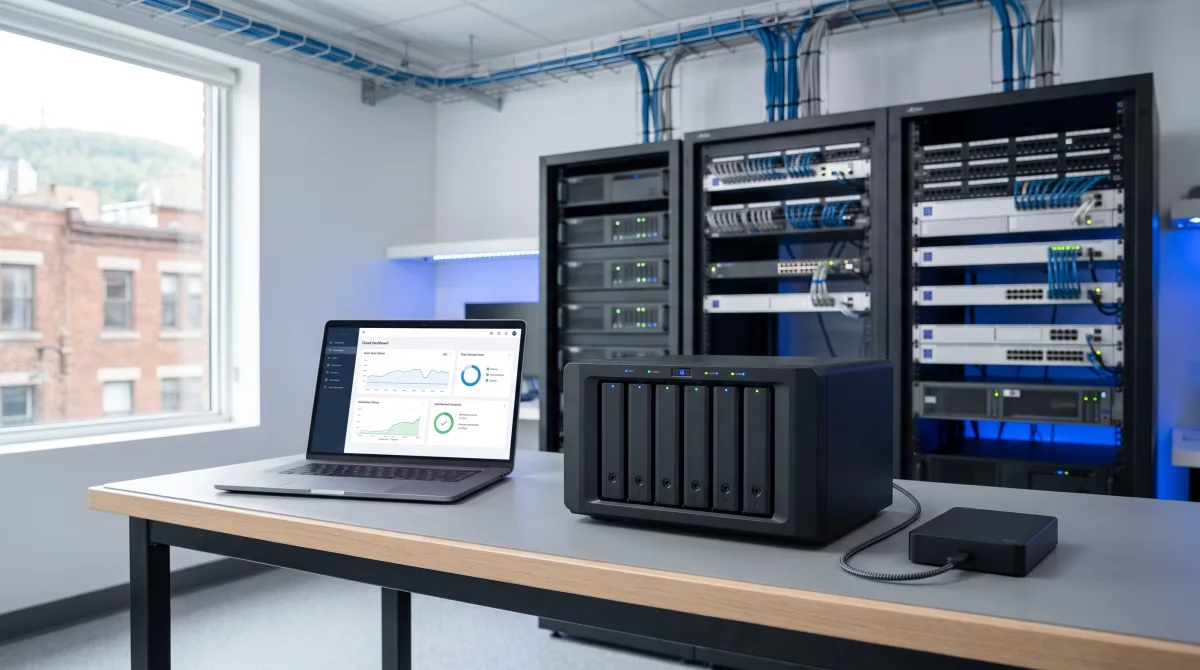
Reliable backups also depend on the equipment behind them. A backup device with a failing disk or a server that has never been checked can quietly stop protecting you. Keeping that infrastructure healthy is part of ongoing server administration, which verifies that backup jobs complete and that storage remains in good condition.
Backups are not the same as continuity
But backups alone are not the same as continuity. A backup answers the question of whether you can get your data back; continuity answers how quickly your business can keep working while you do. This is where two ideas become useful: how much data you can afford to lose, measured as the time between backups, and how long you can afford to be down before it seriously hurts the business. A shop that backs up once a day accepts losing up to a day of work if something fails at the wrong moment. For some businesses that is fine; for others it is unacceptable. Defining these limits ahead of time turns a vague worry into a concrete plan.
These two limits have names used across the industry, and defining them is the first step of any serious continuity plan.
| Concept | What it answers | Example for a small business |
|---|---|---|
| Recovery Point Objective (RPO) | How much data can you afford to lose? Defined by the time between backups. | Backing up once a day means you could lose up to 24 hours of work. |
| Recovery Time Objective (RTO) | How long can you be down before it seriously harms the business? | A firm that cannot invoice may set an RTO of a few hours; an offline workshop may accept a full day. |
| Backup frequency | How often copies are made, which directly sets your RPO. | Continuous or hourly for transactional data; daily for document storage. |
| Restore method | How service is brought back, which directly sets your RTO. | Restoring to existing hardware is slower than failing over to a standby system. |
The gap between these two numbers is usually where the real risk lives. A business can have excellent backups and still be down for two days because no one planned how service would be restored. Reducing that recovery time often depends on the state of the underlying equipment, which is where a timely server upgrade or migration makes recovery faster and more predictable.
The human side of a continuity plan
A practical continuity plan also covers the human side: who is responsible for restoring systems, where the recovery instructions are documented, and how the team communicates if email or the network is down. Backups that no one knows how to restore, or that have never been tested, offer a false sense of security. Testing a restore periodically, even just once or twice a year, is what separates a real safety net from a folder of files nobody has ever opened.

When email or the shared network is part of what fails, communication itself becomes a problem. Businesses that depend heavily on connected systems benefit from having that infrastructure reviewed as part of ongoing network administration, so an outage does not also cut off the way the team coordinates its own recovery.
Right-sized protection for your business
For a small or medium business, the goal is not enterprise-grade complexity. It is a system that runs automatically, stores a copy offsite, and can be restored quickly and reliably when needed. Getting there usually starts with an honest assessment of what data you hold, how critical each part is, and how long you could realistically operate without it. From that assessment, a right-sized backup and continuity plan follows naturally, and the peace of mind it brings is well worth the modest investment.
In our experience supporting businesses across Montreal, the companies that recover quickly are rarely the ones with the most expensive systems. They are the ones that decided in advance what they could afford to lose and tested their plan before they needed it. Ongoing technical support for businesses keeps that plan current as the company grows and its data becomes more valuable.
Protect what your business cannot afford to lose
Data loss is rarely dramatic until it happens, and by then the cost is already paid. A backup that runs automatically, a copy stored offsite, and a recovery plan the team has actually tested turn a potential disaster into a manageable interruption.
At Computer Repair MTL we help Montreal businesses design, implement and maintain backup and continuity systems sized to their real needs. If you would like to know whether your current setup would truly protect you, a technical assessment is the place to start.